 aicentos
Billing
Top-ups and pay-as-you-go — Alipay top-up, per-token billing, balance and usage queries
Last updated:
aicentos uses prepaid balance + pay-as-you-go billing. Top-ups go into your wallet balance, and each request is charged for what it actually consumes. Balances are settled in CNY (¥).
New accounts get ¥1 in free credit at sign-up — run your first request without topping up.
Top-up
Console → Wallet → Add funds:
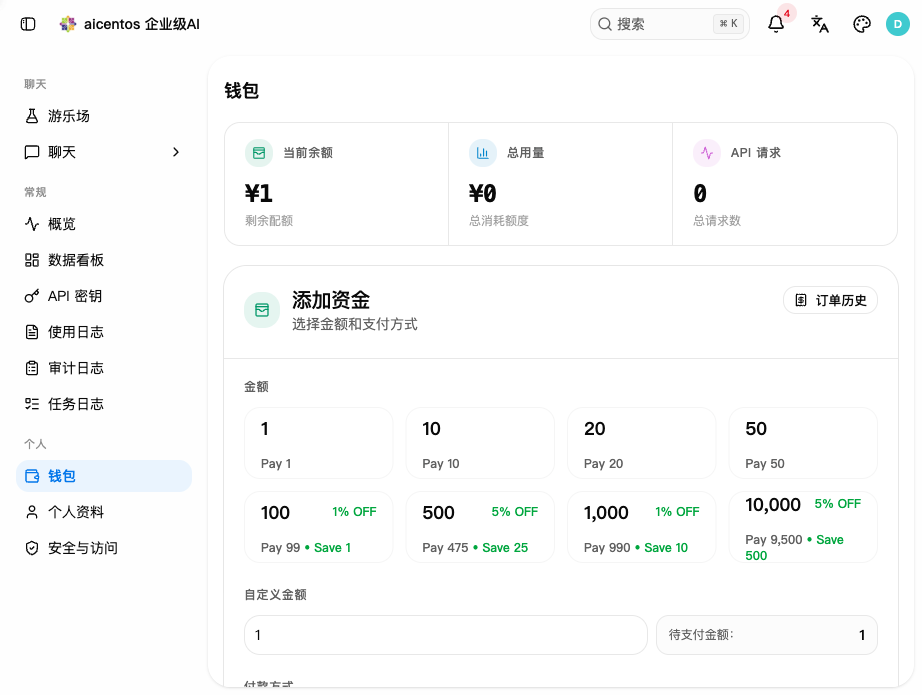
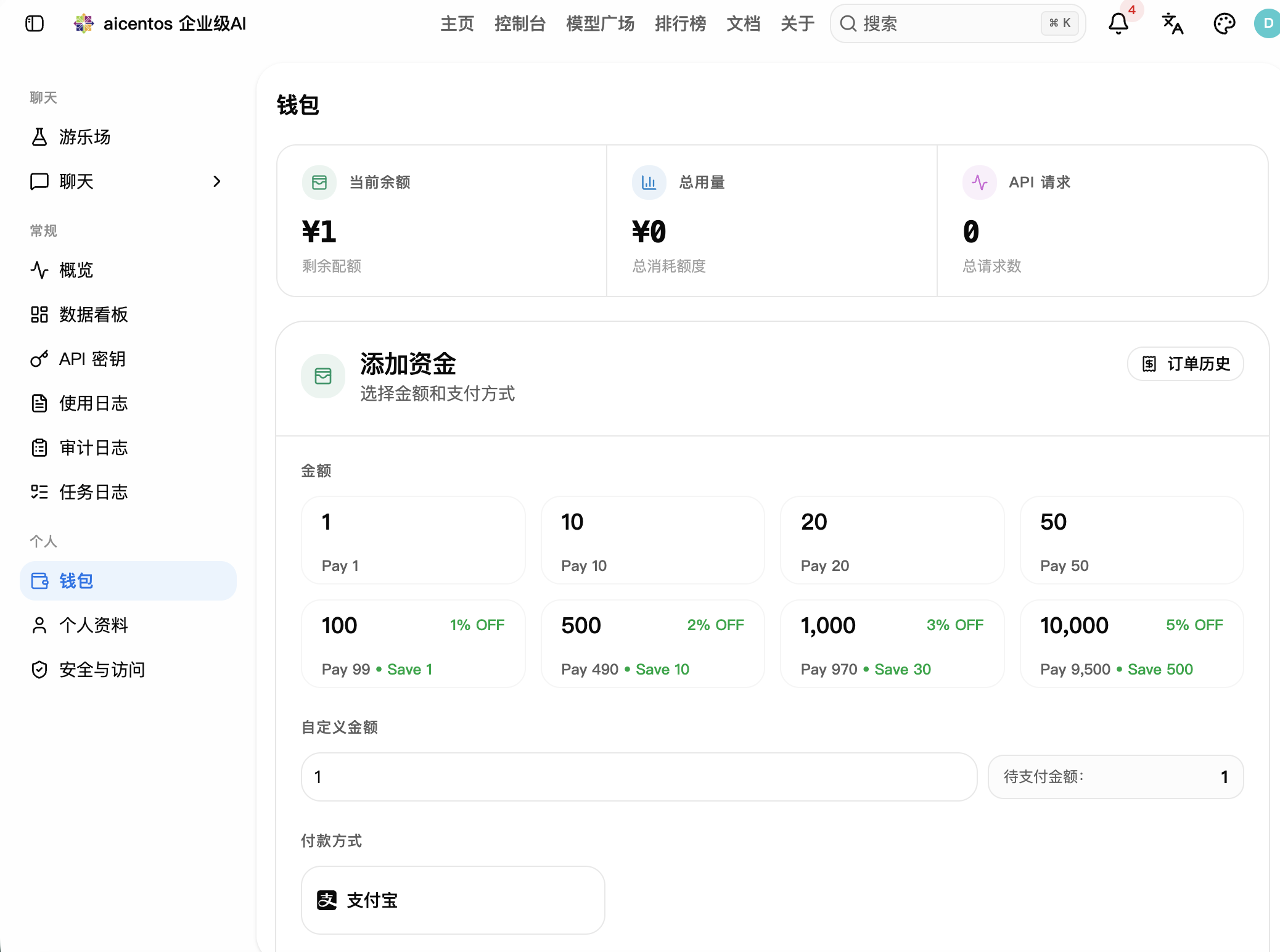
Top-up tiers
Top-ups of ¥100 and above get a discount — you pay less than the top-up amount:
| Top-up amount | Discount | You pay |
|---|---|---|
| ¥1 / ¥10 / ¥20 / ¥50 | None | Full price |
| ¥100 | 1% OFF | ¥99 |
| ¥500 | 2% OFF | ¥490 |
| ¥1,000 | 3% OFF | ¥970 |
| ¥10,000 | 5% OFF | ¥9,500 |
The discount is applied directly to the payment: top up ¥500 and pay ¥490, saving ¥10. Custom amounts and redemption codes for credit are also supported.
Payment methods
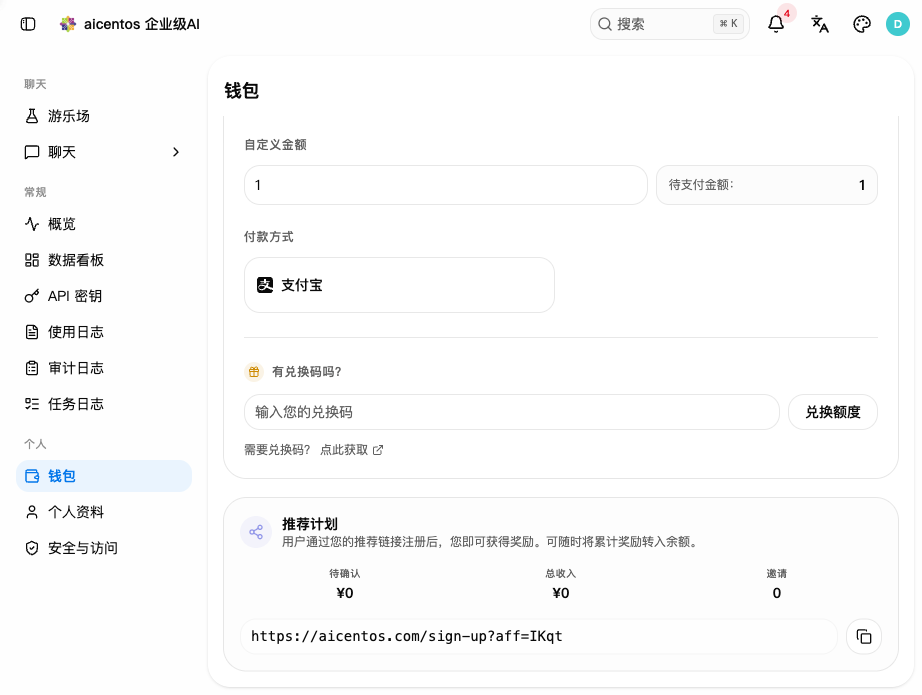
- Alipay: pay by scanning a QR code, credited quickly
- You can also redeem redemption codes for credit
- See the wallet page for other available payment channels
Credit validity
Your balance never expires. Top up with confidence — no need to worry about unused credit.
Pay-as-you-go
Each API request is charged by the number of tokens actually consumed:
cost = (input tokens × input price + output tokens × output price) × group multiplier- Each model has its own input / output prices, usually quoted per 1M tokens
- The group multiplier depends on the group your key belongs to; it varies by group
- See the model pricing page for live prices and multipliers
Models billed per request
Multimedia models such as image and video models may be billed per request or per image instead of per token — see the model pricing page for details.
Check balance / usage
Open Wallet in the left sidebar of the console to see your balance and total usage:
| Metric | Meaning |
|---|---|
| Current balance | Remaining credit in the account |
| Total usage | Credit consumed to date |
| API requests | Total request count |
For finer-grained details, open Usage Logs: filter by time, model or key to see the token count and charge for each request. The Dashboard provides per-model call trends and quota statistics.
Balance alerts
Console → Profile → notification settings: set a balance alert threshold. You are notified automatically when the balance drops below it, so your work is not interrupted by an exhausted balance.
Available thresholds and notification channels depend on what the console shows.
Refunds and invoices
- Balances are not refundable in cash
- Erroneous charges / accidental calls can be compensated with credit after support verifies them
- Balances on long-idle accounts do not expire
- Invoices: available to enterprise customers who sign a contract; invoice types and process are confirmed during business communication
Team / shared credit
Allocate credit to team members:
- Create a separate key for each member under API Keys
- Set an individual quota cap per key
- Use Allowed models when needed to restrict which models a key can call
- Audit consumption per key in Usage Logs
Referral rewards
Console → Wallet → Referral program: invite friends to sign up and both of you earn rewards. Users who register with your personal referral link are linked to your account, and accumulated rewards can be transferred to your balance at any time.
See the wallet page for current reward rates.
Next steps
- Quickstart — get connected in three steps and run your first request
- Supported models — the full model list
- Error handling — troubleshoot insufficient balance and other errors